
In Loonity we are a bit romantic, still think that traditions have something to teach and probably even a bit crazy, so we still feel deeply connected to values like human relations and solidarity between community members. The most basic unity of individuals in which this values are represented in our society is the family, well aware that it might have only one member. For this reason we decided to use this very common and diffused term to name the basic role a user can assume and share in Loonity.
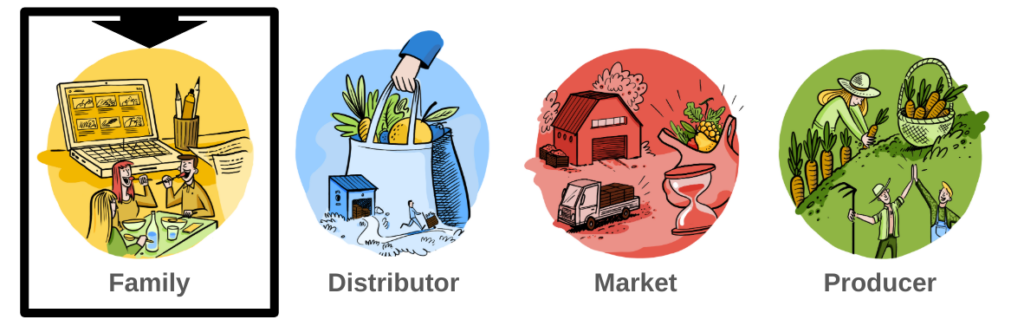
Immediately after registering into Loonity the interface displayed to a user is called the family profile. Every function necessary as a customer is at disposal in the left handed menu bar that can be compressed to gain a full screen view.
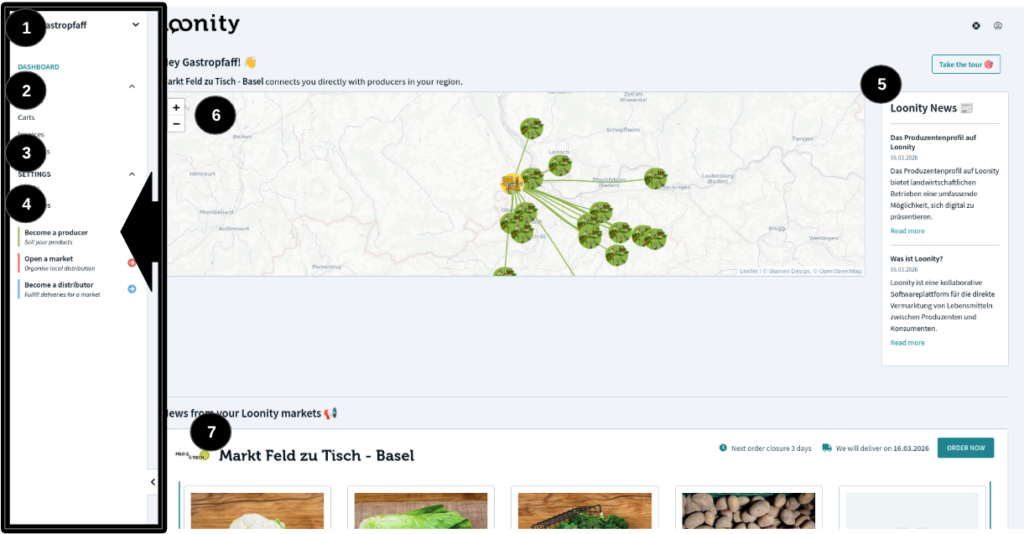
The family menu has on top (1) a selection field that can be used to switch between family accounts in case the user is member of more than one.
Dashboard (2): this is the entry page when a user logs into Loonity. It displays some information about the producer you have access to on a map (6), the Loonity news (5), the shops of the available markets at your place (7). Below some infos about your past orders using this family account;
Just below appears the menu item “BUY” (2) that has following under-menus:
- Products and markets: all the markets available on Loonity are transparently visible, their accessibility as customer depends on the distribution area of the single market, this is always described in the market-profile. In the single market-shop all products available can be added to the family cart to be ordered through a check-out process or to be stored for an order to be concluded in future;
- My carts: during the visit in a market shop products can be added in a family cart, through a check-out process they are transformed in orders. All the carts with at least one product that were not transformed in an order through confirmation via a check-out process are stored here and accessible to be modified and concluded. It is not possible to store more than one cart per market;
- My orders: in this section it is possible to see all past orders that were already concluded in the past. From this window it is also possible to send a message to the market and producers as soon as an order is concluded. The intent is to enable the customer to communicate about special requests before receiving the order or informing about eventual problems just after having received the delivery.
The menu item “Settings” (3) allows to access following data about the selected family:
- Name of the family that will appear on the invoices created when concluding product orders and type of family (private, company or cooperative). This is necessary when Loonity is used by restaurants or companies to buy from local producers;
- Address that will be used for delivery and invoicing. Further addresses can be added for a final selection in the check-out process when confirming an order
- Sole member of the family will initially be the user registering it, further members can be added to be able to share and work on the same buyer-account (f.e. wife and husband can add independently products to the same cart do define the final order)
The menu item “Collaborate” (4) gives the possibility to promote the selected family to a “producer”. The roles “market” and “distributor” need at the moment to be activated through a request to Loonity staff to define all details needed for configuration. Starting the producer registration process will lead to a guided process to gather all information needed to start selling products via Loonity, details are explained in the relative section of this documentation.
The main attribute of the family-role is its name and address, these are necessary to conclude a purchasing contract and are therefore mandatory latest when going through the first check-out process. The necessity of having a family name that can differ from the user’s one is related to the fact that even companies (for example a restaurant or shop) might use Loonity to purchase from producers through a market organization.

 English
  Deutsch (Schweiz)
  Italiano