
If something goes wrong during order management, you as a producer should create an incident.
Incidents are always created on the level of a product. You can create an incident by opening the context menu of a product (click on the 3 dots) and selecting “create incident”. Products that have incidents registered are marked with a warning triangle next to their status indicator.


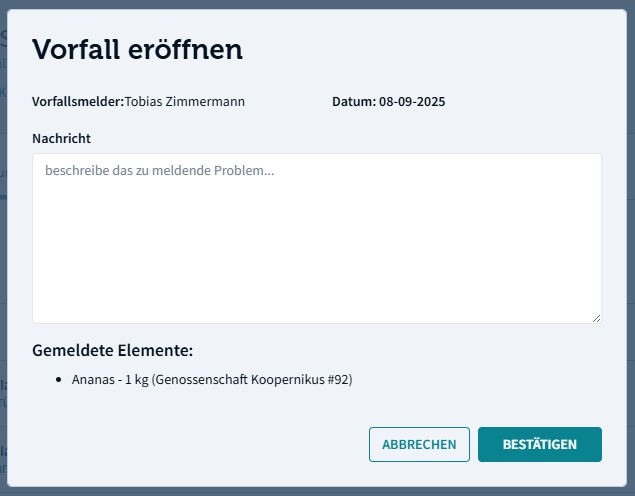
In the incident dialog box you can write down the problem related to the product (e.g. product was damaged due to …) and save the incident.
Depending on the market configuration it is either you yourself that resolves incidents or it is the job of the market administrator. Incidents can be solved by first navigating to the incidents tab on the order management page.
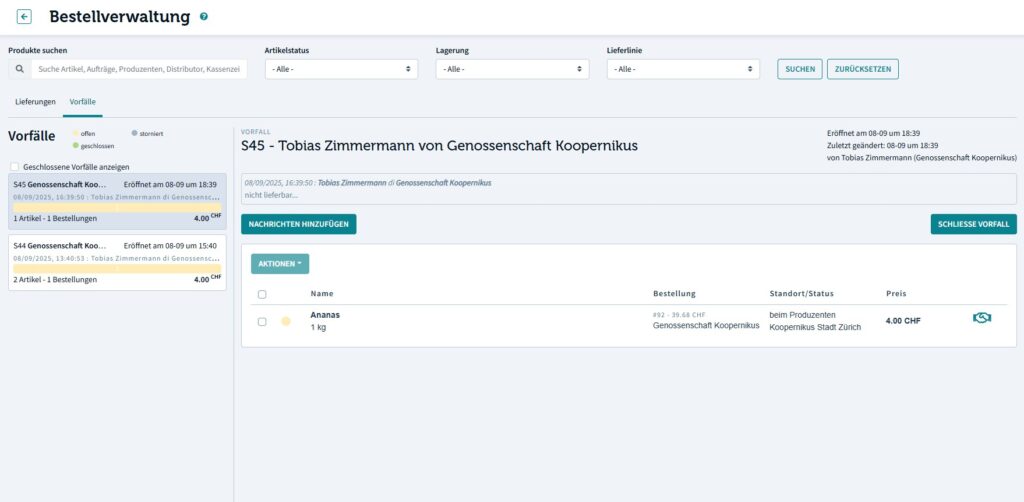
In the incidents tab you select the desired order round and are then presented with a list of incidents present in this round.
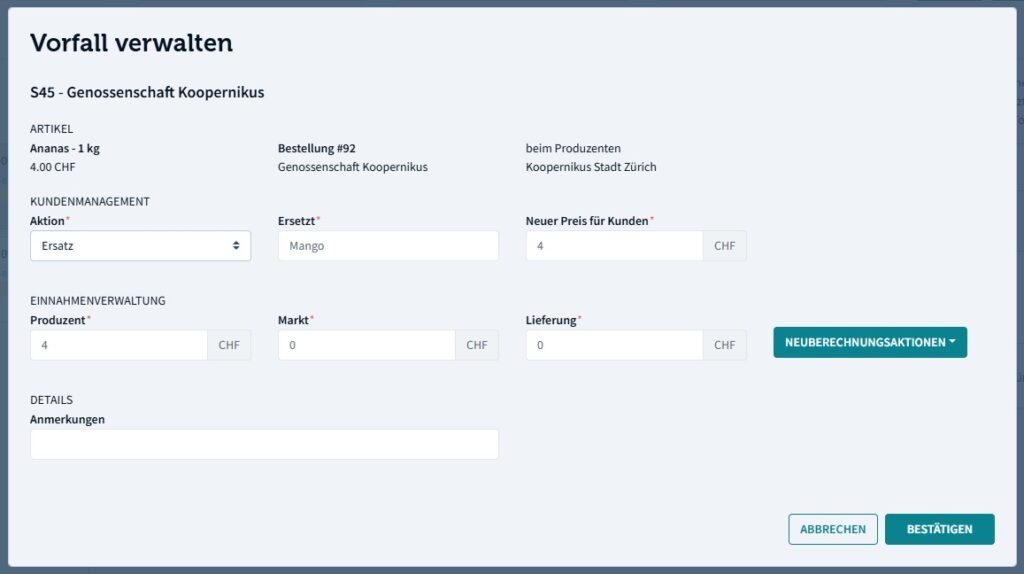
In order to close an incident (if it is not handled by the market administrator) you click on the “shaking hands” icon. In the dialog box, you can select among several options to resolve the incident, such as replacement product, cancelling or offering a discount. You also have the option to recalculate the price charged to the customer and market. Finally you should add a note and click “confirm”.
Note: An order round can’t be finished while incidents are open. Products with open incidents can’t be invoiced. Always handle incidents as soon as possible.

 English
  Deutsch (Schweiz)