
Loonity offers a built in invoicing solution. You can find the invoicing pages by clicking on “Invoice” in the menu.
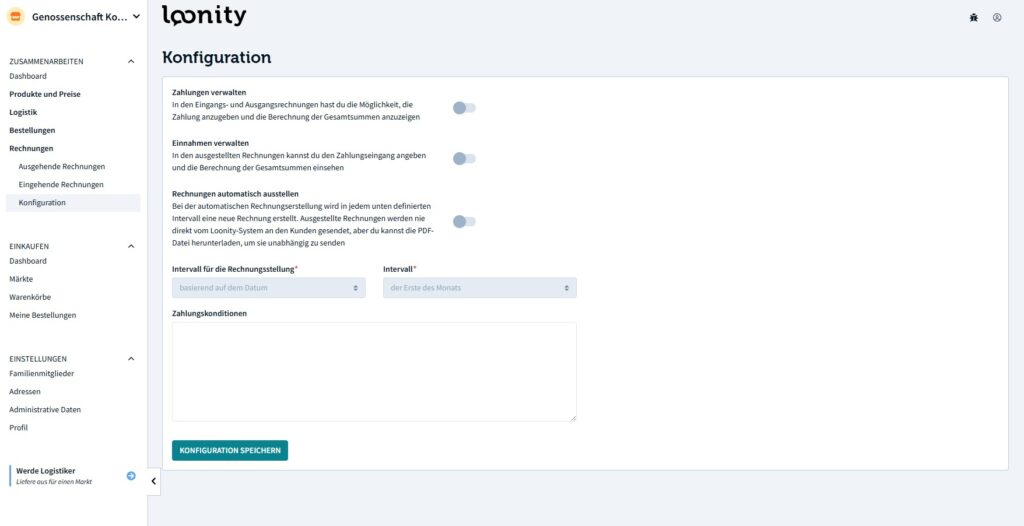
There are several settings for invoicing:
- Mange payments: Whether or not to register outgoing payments.
- Manage income: Whether or not to register incoming payments.
- Automatically emit invoices: You can set up a rule for automatically emitting invoices either based on a monthly date or based on a total value of sold products.
Invoices are not created for each order. Instead, all products sold to a particular customer until the invoice is emitted are added up. On the invoice itself, products are grouped by delivery date and you can also find the order number the product as been sold in.
Invoices are automatically created on the outgoing invoices page. To whom the invoice is emitted to depends on the market configuration. It can either be the end-customer or the market itself.
Once you emit an invoice, the recipient is informed via email. If you choose to register incoming payments, you can do so manually after emitting the invoice.

 English
  Deutsch (Schweiz)